

Tailwind CSS v3.3 来了 — 带来了一堆人们一直要求的全新功能,以及一堆你甚至不知道自己想要的新东西。
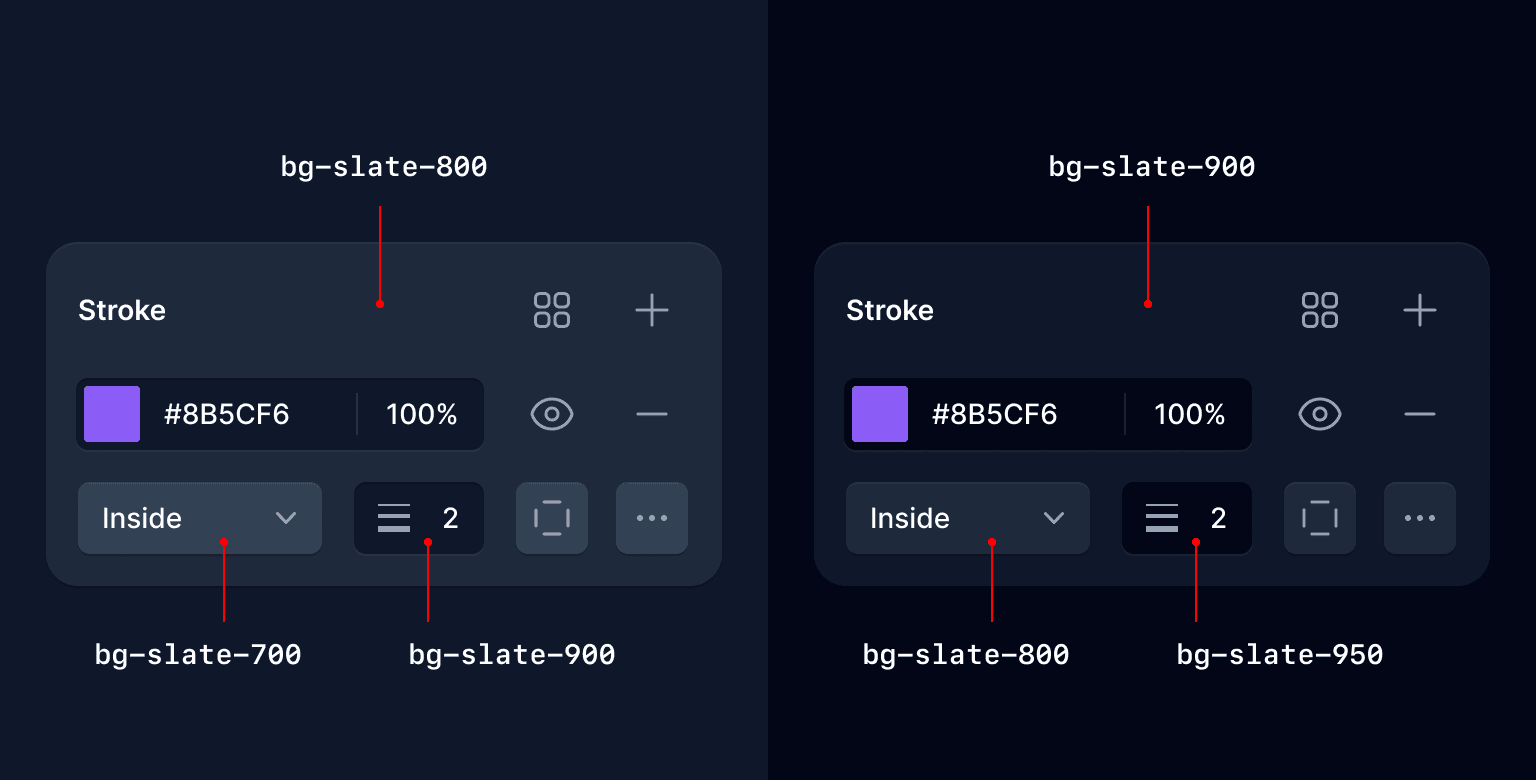
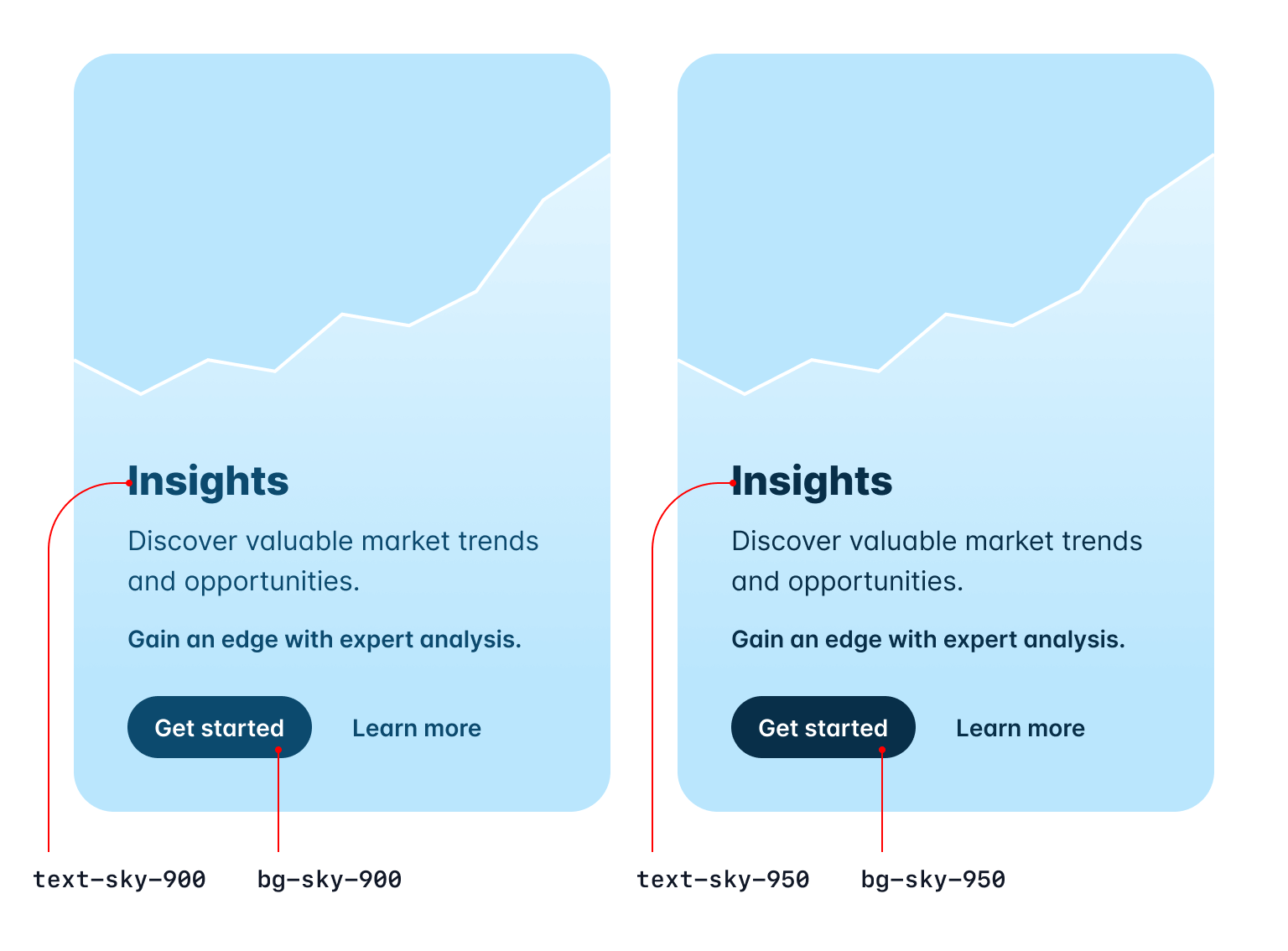
- 扩展的更深暗色调的调色板: 每种颜色都有新的更深的 950 种色调。
- ESM 和 TypeScript 支持: 使用 ESM 或 TypeScript 编写您的配置文件。
- 使用逻辑属性简化 RTL 支持: 构建适应不同方向的布局。
- 微调渐变颜色停止位置: 准确指定您希望每个颜色停止的位置。
- 开箱即用的行限制: 无需插件即可截断多行文本。
- 新的行高修饰符: 使用一个类设置您的字体大小和行高。
- 没有 var() 的 CSS 变量: 用于任意值的新简写语法。
- 为自定义字体系列配置
font-variation-settings: 直接烘焙到您的font-*实用程序中。 - 新的
list-style-image实用程序: 因此您可以使用可怕的剪贴画作为项目符号。 - 新的
hyphens实用程序: 用于微调连字符行为。 - 新的
caption-side实用程序: 使用样式为您的表格添加标题。
这涵盖了最令人兴奋的内容,但请查看发行说明,以获取自上次发布以来我们所做的每一个小改进的详尽列表。
升级您的项目就像从 npm 安装最新版本的 tailwindcss 一样简单:
npm install -D tailwindcss@latest您还可以在浏览器中直接在 Tailwind Play 上试用所有新功能。
扩展的更深暗色调的调色板
多年来我们收到的最常见的功能请求之一是为每种颜色添加更深的色调——通常是因为有人正在构建一个深色 UI,并且只希望在色谱的深色端有更多选择。
好吧,愿望实现了——在 Tailwind CSS v3.3 中,我们为每种颜色添加了一个新的 950 色调。
在灰色中,它们基本上充当带色调的黑色,这对于超暗的 UI 非常有用:
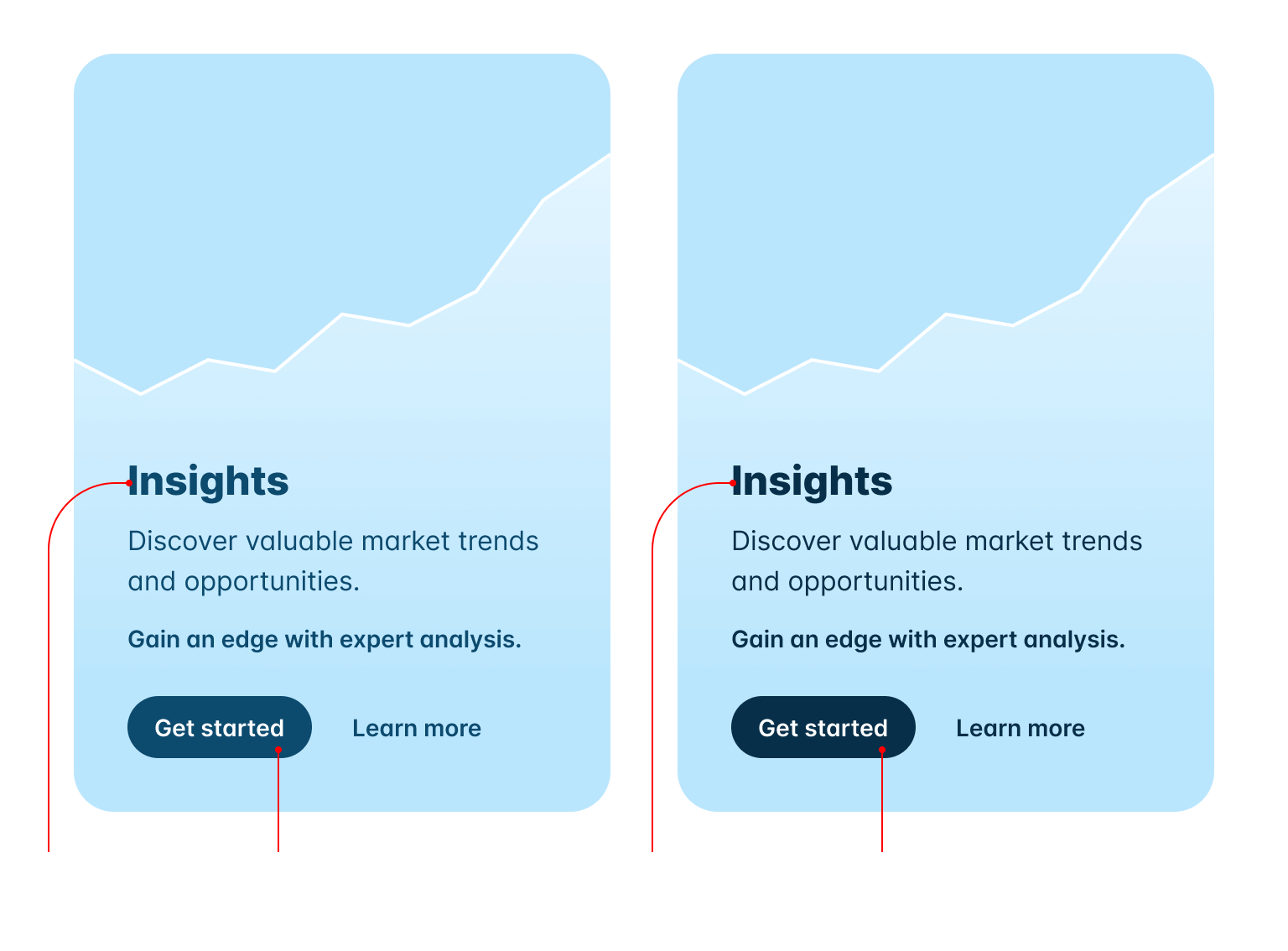
在其余的色谱中,我们优化了 950 以实现高对比度文本和带色调的控件背景:
信不信由你,这个项目最难的部分是说服自己接受每种颜色有 11 种色调。试图让它在调色板文档中看起来不错简直是一场噩梦。
另外,为我们曾经能够开玩笑的 50 种灰色倒一杯。
ESM 和 TypeScript 支持
现在您可以在 ESM 中配置 Tailwind CSS,甚至可以在 TypeScript 中配置:
/** @type {import('tailwindcss').Config} */export default { content: [], theme: { extend: {}, }, plugins: [],};当您运行 npx tailwindcss init 时,我们会检测您的项目是否为 ES 模块,并自动生成具有正确语法的配置文件。
您还可以使用 --esm 标志显式生成 ESM 配置文件:
npx tailwindcss init --esm要生成 TypeScript 配置文件,请使用 --ts 标志:
npx tailwindcss init --ts很多人认为这很容易,因为他们已经在 ESM 中编写自己的代码(即使它是由他们的构建工具转译的),但实际上这非常棘手——我们实际上必须为您即时转译配置文件。
当您考虑 TypeScript 的情况时,理解为什么必须发生这种情况会更容易一些,因为 Tailwind 是作为 JavaScript 分发的,它不能神奇地导入未编译的 TypeScript 文件。
我们在后台使用了出色的 jiti 库,并使用 Sucrase 以最佳性能转译代码,同时保持安装占用空间小。
使用逻辑属性简化 RTL 支持
我们已经可以使用我们的 LTR 和 RTL 变体 来样式化多方向网站,但现在您可以使用 逻辑属性 更轻松地自动完成大部分样式。
使用 ms-3 和 me-3 等新实用程序,您可以样式化元素的 start 和 end,以便您的样式在 RTL 中自动适应,而不是编写 ltr:ml-3 rtl:mr-3 之类的代码:
从左到右

Tom Cook
运营总监
从右到左

تامر كرم
首席执行官
<div class="group flex items-center"> <img class="h-12 w-12 shrink-0 rounded-full" src="..." alt="" /> <div class="ltr:ml-3 rtl:mr-3"> <div class="ms-3"> <p class="text-sm font-medium text-slate-700 group-hover:text-slate-900" dark-class="text-sm font-medium text-slate-300 group-hover:text-white" > ... </p> <p class="text-sm font-medium text-slate-500 group-hover:text-slate-700" dark-class="text-sm font-medium text-slate-500 group-hover:text-slate-300" > ... </p> </div> </div></div>我们为 inset、margin、padding、border-radius、scroll-margin 和 scroll-padding 添加了新的逻辑属性实用程序。
以下是我们添加的所有新实用程序及其映射内容的完整列表:
| 新类 | 属性 | 物理对应物(LTR) |
|---|---|---|
start-* | inset-inline-start | left-* |
end-* | inset-inline-end | right-* |
ms-* | margin-inline-start | ml-* |
me-* | margin-inline-end | mr-* |
ps-* | padding-inline-start | pl-* |
pe-* | padding-inline-end | pr-* |
rounded-s-* | border-start-start-radiusborder-end-start-radius | rounded-l-* |
rounded-e-* | border-start-end-radiusborder-end-end-radius | rounded-r-* |
rounded-ss-* | border-start-start-radius | rounded-tl-* |
rounded-se-* | border-start-end-radius | rounded-tr-* |
rounded-ee-* | border-end-end-radius | rounded-br-* |
rounded-es-* | border-end-start-radius | rounded-bl-* |
border-s-* | border-inline-start-width | border-l-* |
border-e-* | border-inline-end-width | border-r-* |
border-s-* | border-inline-start-color | border-l-* |
border-e-* | border-inline-end-color | border-r-* |
scroll-ms-* | scroll-margin-inline-start | scroll-ml-* |
scroll-me-* | scroll-margin-inline-end | scroll-mr-* |
scroll-ps-* | scroll-padding-inline-start | scroll-pl-* |
scroll-pe-* | scroll-padding-inline-end | scroll-pr-* |
这些应该可以为您节省大量代码,如果您经常构建需要同时支持 LTR 和 RTL 语言的网站,您可以在需要更多控制时将这些与 ltr 和 rtl 变体结合使用。
微调渐变颜色停止位置
我们添加了 from-5%、via-35% 和 to-85% 等新实用程序,允许您调整渐变中每个颜色停止的实际位置:
}
<div class="bg-gradient-to-r from-indigo-500 from-10% via-purple-500 via-30% to-pink-500 to-90% ..."> <!-- ... --></div>我们包含了从 0% 到 100% 的每个值,步长为 5,但您当然可以使用任意值来获得您想要的效果:
<div class="bg-gradient-to-r from-cyan-400 from-[21.56%] ..."> <!-- ... --></div>有关更多详细信息,请查看 渐变颜色停止文档。
开箱即用的行限制
我们在两年多前发布了我们的 官方行限制插件,即使它使用了一堆奇怪的过时的 -webkit-* 东西,它在每个浏览器中都能正常工作,并且它将永远有效,所以我们决定将其直接集成到框架本身。
提高您的转化率
Nulla dolor velit adipisicing duis excepteur esse in duis nostrud occaecat mollit incididunt deserunt sunt. Ut ut sunt laborum ex occaecat eu tempor labore enim adipisicing minim ad. Est in quis eu dolore occaecat excepteur fugiat dolore nisi aliqua fugiat enim ut cillum. Labore enim duis nostrud eu. Est ut eiusmod consequat irure quis deserunt ex. Enim laboris dolor magna pariatur. Dolor et ad sint voluptate sunt elit mollit officia ad enim sit consectetur enim.
 Lindsay Walton
<article> <div> <time datetime="2020-03-16" class="block text-sm/6 text-gray-600">Mar 10, 2020</time> <h2 class="mt-2 text-lg font-semibold text-gray-900">提高您的转化率</h2> > <p class="mt-4 line-clamp-3 text-sm/6 text-gray-600"> Nulla dolor velit adipisicing duis excepteur esse in duis nostrud occaecat mollit incididunt deserunt sunt. Ut ut sunt laborum ex occaecat eu tempor labore enim adipisicing minim ad. Est in quis eu dolore occaecat excepteur fugiat dolore nisi aliqua fugiat enim ut cillum. Labore enim duis nostrud eu. Est ut eiusmod consequat irure quis deserunt ex. Enim laboris dolor magna pariatur. Dolor et ad sint voluptate sunt elit mollit officia ad enim sit consectetur enim. </p> </div> <div class="mt-4 flex gap-x-2.5 text-sm leading-6 font-semibold text-gray-900"> <img src="..." class="h-6 w-6 flex-none rounded-full bg-gray-50" /> Lindsay Walton </div></article>因此,当您升级到 v3.3 时,如果您正在使用它,可以安全地删除行限制插件:
module.exports = { // ... plugins: [ require('@tailwindcss/line-clamp') ]}不要让门在你离开时撞到你的屁股,插件。
查看新的 行限制文档 以了解更多关于它如何工作的详细信息,如果您之前没有玩过它。
用于字体大小实用程序的新行高简写
多年来我们发现,在使用 Tailwind 设计漂亮的东西时,我们几乎 从不 在不同时设置字体大小的情况下设置行高。
因此,受我们的颜色不透明度修饰符语法的启发,我们决定通过单个实用程序将它们一起设置,以节省一些字符:
<p class="text-lg leading-7 ..."><p class="text-lg/7 ..."> So I started to walk into the water. I won't lie to you boys, I was terrified. But I pressed on, and as I made my way past the breakers a strange calm came over me. I don't know if it was divine intervention or the kinship of all living things but I tell you Jerry at that moment, I <em>was</em> a marine biologist.</p>您可以使用在您的 行高比例 中定义的任何值,或者在需要偏离设计令牌时使用任意值:
<p class="text-sm/[17px] ..."></p>查看 字体大小文档 以获取更多示例。
没有 var() 的 CSS 变量
为了减少输入,我们还可以在使用 CSS 变量作为任意值时省略 var():
export function MyComponent({ company }) { return ( <div style={{ "--brand-color": company.brandColor, "--brand-hover-color": company.brandHoverColor, }} className="bg-[var(--brand-color)] hover:bg-[var(--brand-hover-color)]" className="bg-[--brand-color] hover:bg-[--brand-hover-color]" /> );}这是一个非常酷的技巧,可以通过这种方式使用 hover: 与来自数据库或其他地方的样式。
为自定义字体系列配置 font-variation-settings
在使用自定义字体时,您通常需要配置 font-feature-settings 或 font-variation-settings 之类的东西,以选择字体提供的特定调整。
我们已经很容易为 font-feature-settings 这样做,但现在您可以通过在配置文件中的字体列表后面放置一个选项对象来为 font-variation-settings 做同样的事情:
module.exports = { theme: { fontFamily: { sans: [ "Inter var, sans-serif" { fontFeatureSettings: '"cv11", "ss01"', fontVariationSettings: '"opsz" 32', }, ], }, },};在上面的示例中,我们使用了最近发布的 Inter,它支持使用光学尺寸轴来触发字体的“显示”变体,优化用于较大的尺寸,如标题。
新的 list-style-image 实用程序
有没有想过用胡萝卜的图片作为列表项标记?现在可以了,使用新的 list-image-* 实用程序。
- 5 杯切碎的牛肝菌蘑菇
- 1/2 杯橄榄油
- 3 磅芹菜
<ul class="list-image-[url(/carrot.png)] ..."> <li>5 杯切碎的牛肝菌蘑菇</li> <!-- ... --></ul>我们不会开始随框架一起提供蔬菜剪贴画,但您可以使用任意图像作为任意值或在主题的 listStyleImage 部分中进行配置。
查看 列表样式图像文档 以了解更多信息。
新的 hyphens 实用程序
听说过 ­ HTML 实体吗?在我们添加这些 hyphens-* 实用程序之前,我也没有听说过。
使用 hyphens-manual 和精心放置的 ­,您可以告诉浏览器在需要将单词拆分成多行时插入连字符的位置:
由 Duden 词典正式认可为德语中最长的单词,Kraftfahrzeughaftpflichtversicherung 是一个 36 个字母的单词,表示机动车责任保险。
<p class="hyphens-manual ...">... Kraftfahrzeug­haftpflichtversicherung is a ...</p>也许这样的代码片段可以作为您无法发音的死亡金属乐队新闻包的一部分,这样记者就不会在最终让您登上舞台的文章中搞砸连字符。
查看 连字符文档 以了解更多信息。
新的 caption-side 实用程序
另一个对我来说是新的——<caption> 元素!我们有新的 caption-* 实用程序,您可以在表格标题上使用它们来控制它们出现在所附表格的顶部或底部。
| 摔跤手 | 标志性动作 |
|---|---|
| "Stone Cold" Steve Austin | Stone Cold Stunner, Lou Thesz Press |
| Bret "The Hitman" Hart | The Sharpshooter |
| Razor Ramon | Razor's Edge, Fallaway Slam |
<table> <caption class="caption-bottom"> 表 3.1:职业摔跤手及其标志性动作。 </caption> <thead> <tr> <th>摔跤手</th> <th>标志性动作</th> </tr> </thead> <tbody> <tr> <td>"Stone Cold" Steve Austin</td> <td>Stone Cold Stunner, Lou Thesz Press</td> </tr> <tr> <td>Bret "The Hitman" Hart</td> <td>The Sharpshooter</td> </tr> <tr> <td>Razor Ramon</td> <td>Razor's Edge, Fallaway Slam</td> </tr> </tbody></table>查看 caption side 文档 以获取更多示例。
这就是 Tailwind CSS v3.3!没有重大变化,只是一堆有趣的新东西。通过使用 npm 更新到最新版本,在您的项目中尝试一下:
npm install -D tailwindcss@latest是的,又一个没有 text-shadow 实用程序的版本。还记得《宋飞正传》中克莱默试图看看他能开多远而不停下来加油的那一集吗?那是我最喜欢的一集。